Month-End Close in 10 Simple Steps
What is Month-End Close?
Following a process like the SBA's guide to managing business finances keeps the close predictable month after month.
Month-end close is the process of recording all business transactions and finalizing your accounts for the month. You gather financial data from bank statements, receipts, and invoices to create accurate financial reports. The information you need includes:- All bank and credit card statements for the month
- Complete income and expense records
- Updated customer and supplier account details
- Current inventory counts if you carry stock
- Up-to-date asset information
- Accurate general ledger data
Why Month-End Close Matters
Completing your month-end close helps you:- Find errors in your accounts before they compound
- Make informed business decisions based on current numbers
- Fix problems quickly instead of at year-end
- Save time and stress during tax season
- Keep accurate records ready for audits or loan applications
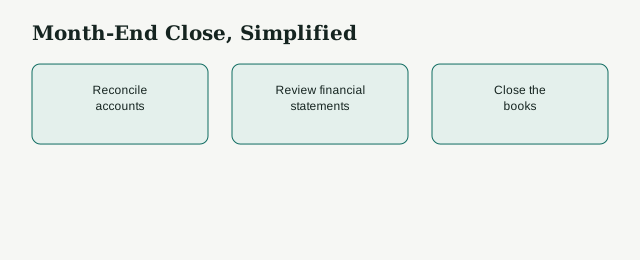
10 Steps to Complete Month-End Close
1. Record Income and Expenses
Check that all income is recorded like:- Sales revenue for the month
- Customer payments received
- Other income sources you may have missed
- Payments made to suppliers
- Utility bills for the period
- Payroll expenses, reconciled against your quarterly Form 941 filings, which report the 15.3% combined Social Security and Medicare tax (12.4% plus 2.9%)
- Business loan payments
- Insurance costs
2. Update Accounts Receivable and Payable
For the money customers owe you, create an aged debtors report, follow up on overdue payments, record discounts and credit notes, and write off bad debt if it is no longer collectible.
For money you owe suppliers, create an aged creditors report, pay overdue invoices immediately, check for duplicate invoices, and confirm you are not paying the same bill twice.
3. Prepare Bank Reconciliations
Match your bank statements with your records for:- Every checking account the business uses
- Every savings account the business uses
- Business credit card statements
- Digital payment accounts, including PayPal and Square, since processors charge roughly 2.9% + \$0.30 per transaction
To reconcile, compare ending balances and transactions, find differences like uncleared checks or bank fees, make any adjusting entries needed, and document your reconciliation for future reference.
4. Review Petty Cash
Count your cash on hand and compare it to your records. Check all petty cash receipts and record small expenses. Investigate any missing amounts. Do this daily or weekly when possible to catch problems early.5. Review Inventory
Take a physical count of your inventory. Update your books with actual quantities. Review your ordering process to avoid overstocking or running out of products. Check storage methods to prevent damage or theft.6. Review Fixed Assets
Record any asset purchases, sales, or improvements made during the month. Calculate depreciation expenses for buildings, equipment, and vehicles. Document repair and maintenance costs. Check the condition of your assets for replacement planning.7. Reconcile Accrued and Prepaid Accounts
Reconciliation is the process of matching your internal records to an external statement, following the same discipline the IRS expects for recordkeeping.
Accrued items include:- Revenue earned but not yet received
- Expenses incurred but not yet paid
- Insurance paid in advance
- Rent paid ahead of time.
8. Prepare Financial Statements
Create three key reports: Income Statement: Shows revenue minus expenses to calculate profit or loss. Balance Sheet: Lists what you own (assets) and owe (liabilities) at month-end. Cash Flow Statement: Tracks how cash moves through your business. Use accounting software to generate these automatically after entering your data.9. Review Financial Information
Check your work before closing the books. Have someone else review your reports to catch errors you might miss. Review:- Every general ledger entry posted that month
- All three financial statements together
- Any unusual transactions or amounts that stand out
10. Implement Learnings
Analyze your results and take action:Ask what worked well this month, what problems need immediate attention, how performance compares to previous months, and whether you are on track to meet your business goals.
Address cash flow issues or overdue payments immediately. Use this information to improve your business operations.How to Prepare for a Smooth Month-End Close
Maintain Good Records
Keep records updated throughout the month. Use accounting software to automate data entry. Scan receipts immediately and store them digitally.Set a Closing Date
Complete your month-end close within 5 to 10 business days after the month ends, which gives most teams enough runway to chase down missing invoices without dragging the close into the next period. Don't rush the process, but don't delay it unnecessarily.Automate Your Bookkeeping
Start with basic accounting software instead of spreadsheets. Automate bank reconciliations and financial statement generation. Remember that software output depends on accurate data input.Get Professional Help
Hire bookkeeping staff or outsource to professionals as your business grows. This saves time and reduces errors while letting you focus on running your business. Consider outsourcing if you want to:- Save money on employee costs
- Access qualified professionals quickly
- Spend less time managing accounting tasks.
Make Your Month-End Close Hassle-Free
[Book Your Free Consultation Today]
At LedgersCFO, we help businesses close their books faster and more accurately. Instead of spending weeks fixing errors and chasing numbers, our team sets up a simple, step-by-step process so you get reliable reports on time. Let us handle the month-end close while you focus on running your business.FAQs
What is the month-end close process?
The month-end close is the process of reviewing, reconciling, and finalizing your company’s accounts at the end of each month. It ensures your financial records are accurate and up to date.
Why is the month-end close important for a business?
A proper close helps you spot errors, track cash flow, and understand your business’s real financial position. Without it, you risk making decisions based on incomplete or inaccurate numbers.
How long should the month-end close take?
For most small to mid-sized businesses, it should take between 3–7 days if the process is well-structured. Delays usually happen due to missing invoices, poor record-keeping, or a lack of clear procedures.
What are the biggest challenges during the month-end close?
Some common challenges include missing receipts, incorrect reconciliations, delayed approvals, and a lack of coordination between teams.
How can LedgersCFO help with the month-end close?
LedgersCFO sets up a structured month-end close process tailored to your business. Our team handles reconciliations, reviews reports, and ensures everything is accurate and on time, so you don’t waste weeks fixing errors.