Form 1099-K: A Simple Guide for Business Owners
If you get paid through PayPal, Venmo (for business), or platforms like Etsy and Airbnb, you might receive a Form 1099-K. The IRS uses this form to keep track of those payments. In this blog, we’ll break down what it means and why it matters for you.What is IRS Form 1099-K?
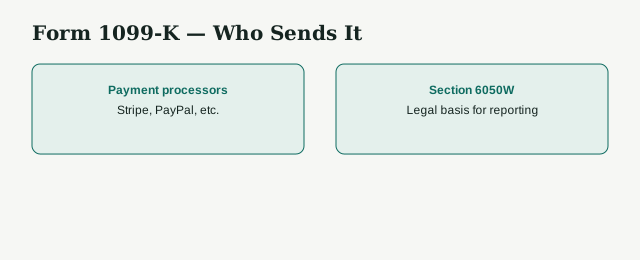
IRS Form 1099-K is used to report certain payments you receive through credit cards, debit cards, and online payment platforms such as PayPal, Venmo (business accounts), Stripe, and marketplaces like Etsy, Airbnb, or eBay. It shows the total amount of reportable payments processed for you during the year. The form does not separate taxable income from non-taxable income, so you still need to keep your records to figure out the taxable portion.The Current 1099-K Threshold
Under the IRS's current guidance, a third-party payment platform must send you a Form 1099-K once your gross payments exceed $20,000 and you have more than 200 transactions in the year — both conditions have to be met. The IRS had planned to phase this down to $2,500 in 2025 and $600 in 2026, but 2025 legislation reinstated the original $20,000/200-transaction threshold, so don't rely on older articles citing a lower number.
Payments made through credit and debit card processors remain fully reportable regardless of the amount.
Even if you do not receive the form, you are still required to report all taxable income on your tax return.
Who Receives a 1099-K in 2025
You will likely receive one if:-
Your payments exceed $20,000 and total more than 200 transactions in a year through third-party platforms like PayPal, Stripe, Venmo (business account), Cash App (business account), Etsy, Airbnb, or eBay.
-
You accept payments for goods or services through credit or debit cards (always reported by processors).
Why Non-Business Payments Sometimes Appear
If you mix personal and business payments in one account, non-business transactions can still be reported. For example:- Selling a used sofa for less than you originally paid for it.
- Collecting money from friends for a group vacation.
How to Report 1099-K Income
When you receive a 1099-K, you need to report the taxable portion of that income. Here is where it goes:- Sole proprietors: Schedule C (Form 1040)
- Partnerships, S corporations, LLCs: Forms 1065, 1120, or 1120S
- Farmers: Schedule F
What to Do if Your 1099-K Has Errors
If you believe your form is incorrect, contact the payment processor listed on the form to request a corrected version. Errors can happen when:- You share an account with another person or business.
- There is a change in business ownership during the year.
- Personal transactions are recorded as business income.
How to File Form 1099-K?
Step 1: Gather your information
Have your name, address, and taxpayer identification number (TIN) ready. Collect the recipient’s details and your transaction records.Step 2: Get the form
Download Form 1099-K from the IRS website or access it through your tax software. Physical copies can be requested from the IRS.Step 3: Fill in payer details
 In box 1a, enter your TIN, name, and address exactly as they appear on your tax records.
Step 4: Fill in recipient details
In box 1b, enter the recipient’s TIN, name, and address. If you do not have their TIN, request it using Form W-9.Step 5: Report payment card transactions
In box 1b, record the total dollar amount from credit card and debit card transactions.Step 6: Report third-party network transactions
In box 1b, add the total from payment platforms like PayPal, Stripe, Airbnb, or Uber.Step 7: Include adjustments if needed
Enter refunds, returns, or other adjustments in the correct boxes.Step 8: Review for accuracy
Double-check all names, addresses, TINs, and amounts.Step 9: File the form
Submit it to the IRS and send a copy to the recipient by January 31. If you are filing 250 or more forms, you must file electronically.Step 10: Keep records
Store a copy of the form and related documents for at least three years.Filing Deadlines
- Recipient copy: January 31
- IRS filing: January 31 (electronic filing is required for large-volume filers)
- Extensions: Apply only to IRS filing, not the copy sent to the recipient
Common Mistakes to Avoid
- Mixing business and personal payments in the same account.
- Not reporting taxable income because you did not receive a 1099-K.
- Forgetting to account for refunds or chargebacks.
- Waiting until tax season to review your payment platform statements.
How LedgersCFO Can Help?
We help business owners, freelancers, and online sellers organize their transactions, separate personal and business payments, prepare accurate income reports, and handle tax filings. With our support, your 1099-K will match your books so you can file with confidence and avoid unnecessary IRS issues.FAQs
What is the current Form 1099-K threshold?
A third-party platform must send you a Form 1099-K once your gross payments exceed $20,000 and you have more than 200 transactions in the year. Both thresholds have to be crossed — see the IRS's Form 1099-K FAQs for the current rule.
Has this threshold changed recently?
Yes. The IRS had planned to phase the threshold down to $2,500 in 2025 and $600 in 2026, but 2025 legislation reinstated the original $20,000 and 200-transaction threshold for 2025 and later years, so the lower amounts never took effect.
Do I owe tax on the full amount listed?
Not always. You only owe tax on your taxable profit. The form shows gross payments, so you'll subtract refunds, discounts, and your costs before calculating.
What if my 1099-K includes personal payments?
Keep proof showing which ones were personal. They're not taxable, but you might need to explain them to the IRS.
How can LedgersCFO help?
We keep your business and personal payments separate, track all your transactions, prepare accurate income reports, and handle tax filing so you avoid costly mistakes and IRS headaches.